Instagram story saver
Save public story photos and videos before they disappear.
Download public Instagram stories, highlights, reels, videos, and photos. Paste the Instagram URL or username, preview the media, and save it to your phone or computer.
This free IG story saver needs no Instagram login or app install and cannot access private accounts. StorySaver is independent and is not affiliated with Instagram or Meta.
Public Instagram links only. No password needed.
Get the Chrome ExtensionHow it works
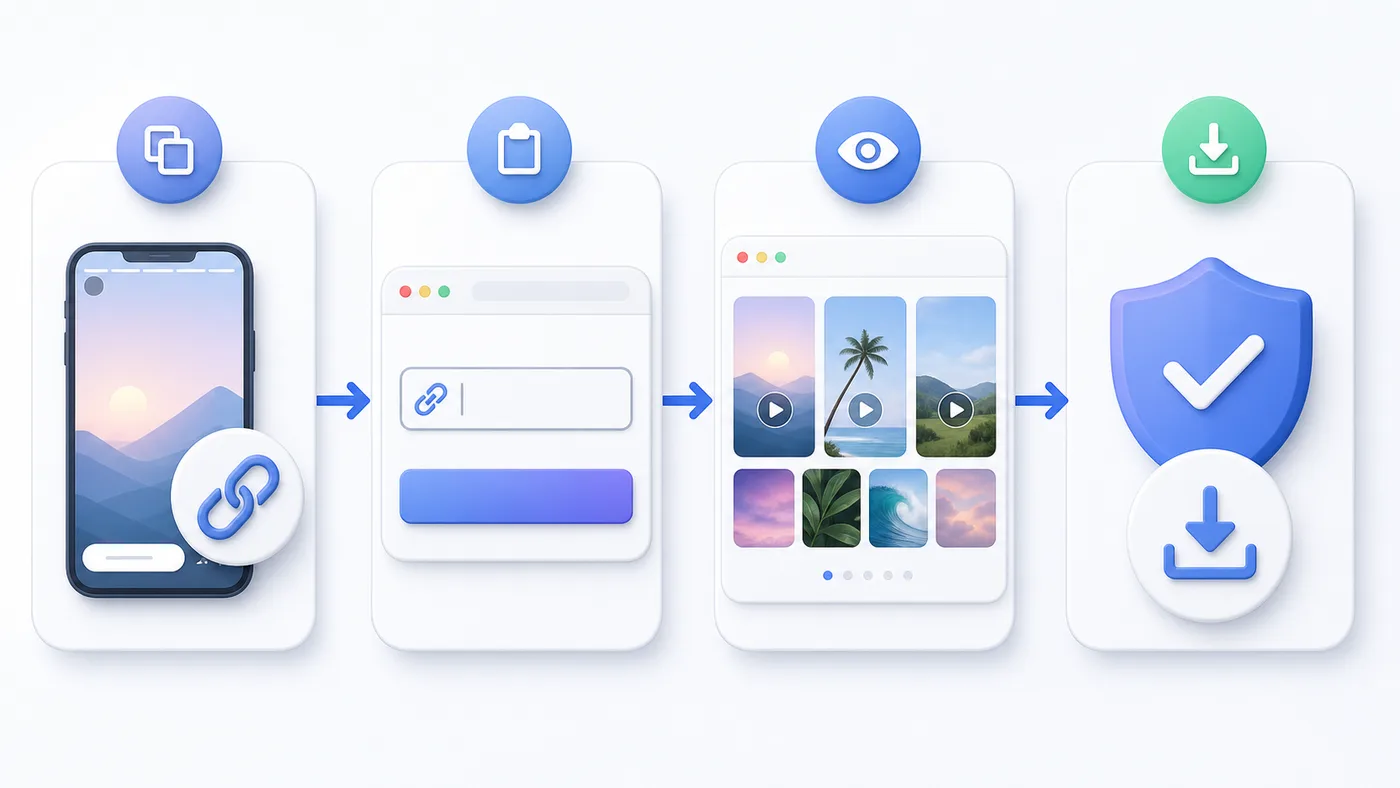
The process is simple: copy the public Instagram link, paste it here, and save the available media.
Open Instagram and copy the public story, highlight, reel, post, or profile link you want to save.
Put the link into StorySaver and press Download. You do not need an Instagram password or extra app.
Check the preview, then save the available photo or video to your iPhone, Android, PC, or Mac.
Features
StorySaver is made for quick public Instagram downloads. It keeps the steps short and works directly from the browser.
Save public story photos and videos before they disappear.
Download videos or photos from public Instagram highlight collections.
Use it on iPhone, Android, tablet, Windows, or Mac.
Open StorySaver in your browser and download without installing software.
Check the available media before saving the file to your device.
Use story, highlight, reel, post, or profile links that are publicly available.
Copy the link, paste it, press Download, and save the result.
StorySaver does not ask for your Instagram login details.
Instagram stories are temporary, and sometimes you need to keep a copy for later. StorySaver lets you save public story videos and photos while they are still available.
You only have to copy the public story link or username, paste it into the downloader, and save the file. No login or app install is needed.
Instagram highlights are saved story collections. With StorySaver, you can download public highlight videos and photos from a profile without recording your screen.
Copy the profile, highlight, or username, paste it in the box, and choose the available item you want. Keep saved content for personal use unless you have permission to share it.
Why StorySaver
Download public Instagram stories and highlights without paying a subscription.
Copy the link, paste it into StorySaver, and download the available file.
StorySaver does not ask for your Instagram password or account access.
Use it on mobile or desktop without installing an APK, extension, or software.
The tool works with public Instagram links and does not open private accounts.
The site explains stories, highlights, mobile downloads, privacy, and content rights in plain words.
Popular pages
Use the downloader, read the simple steps, or check the safety notes before saving public Instagram media.
Blog
5 min read
Instagram stories are quick posts that disappear fast. Here is what happens to them and when a story downloader can help.
4 min read
Stories and highlights look similar, but they do not work the same way. Here is the easy difference.
6 min read
Before using any story saver, check a few simple things: login requests, private account claims, and how you plan to use the media.
FAQ
Answers to the questions people most often ask before using StorySaver.
StorySaver is an online Instagram story downloader. You paste a public story, highlight, post, reel, or profile link and download the available media from your browser.
Open Instagram, copy the public story link or profile username, paste it into StorySaver, and press the download button. When the media loads, save the photo or video to your device.
Yes. StorySaver can help you save public Instagram highlights when the profile and highlight collection are available online.
No. StorySaver works with public Instagram content only. It cannot open private accounts, locked stories, or deleted media.
No. You can use StorySaver in Chrome, Safari, Edge, Firefox, or any modern mobile browser. No extra app is needed.
No. StorySaver does not ask for your Instagram password or account login.
StorySaver is for public Instagram content only. You are responsible for making sure you have the right to download, keep, or reuse any media.
StorySaver is not affiliated with Instagram or Meta. Do not use the tool for private content, copyright misuse, or anything that violates another person's rights.
Read responsible-use guidance